

About the product
Kolo Card overview
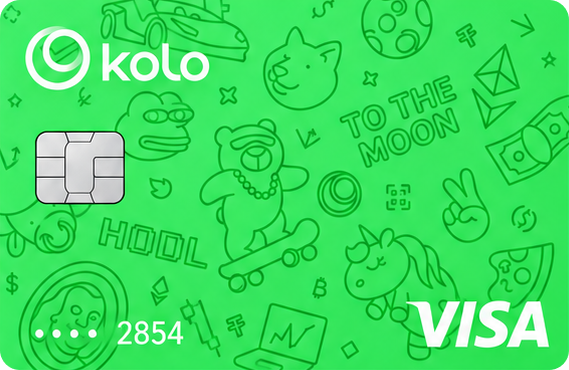
Kolo is a multichain wallet and payments app that grew out of a Telegram bot and launched its own card at the end of 2025. It is a virtual Visa Platinum with a dollar balance: you hold crypto in the Kolo wallet and conversion to fiat happens at the moment of payment. There is no physical version yet — it has been announced for the third quarter of 2026.
Key terms
- Card type: Virtual Visa Platinum (physical card planned)
- Supported currencies: USDT, USDC, EURC, BTC, ETH, SOL, LTC, PEPE and others; Ethereum, BNB Chain, Arbitrum, Base, Solana, Stellar, Polygon and TRON networks; card currency — USD
- Where it works: 130+ countries, excluding the United States, sanctioned jurisdictions and hryvnia settlement
- Fees: 10 USDC activation, refunded to your balance; no annual or monthly fee; 1% conversion plus roughly 1% on non-US merchants; 0% markup on USDT, USDC and EURC
- Cashback: 2% in BTC for the first 30 days, then 1%, capped at $100 per month
Key features
Beyond the card, Kolo offers direct transfers from the wallet to SEPA accounts — you can send funds to Revolut, Wise, N26 or an ordinary bank account without routing through an exchange. The service is custodial and structurally split: crypto services sit with Kazakhstan-based Hardline Holdings, crypto-asset services moved to Poland’s BURVIX in January 2026, and the card runs on Rain’s rails. KYC is handled by Sumsub and the company describes itself as MiCA-ready. The product is young, so there are few reviews yet, and users mention funds being frozen during AML checks.
How to get the card
- Install the Kolo app for iOS or Android, or open the Telegram version, and sign up.
- Complete identity verification (KYC) with an ID document and a selfie.
- Activate the card, fund the balance with crypto and add it to Apple Pay or Google Pay.